本文介绍如何使用discoveryutil工具清理MAC OS(Yosemite)的DNS缓存,啥是DNS这里就不赘述了:)
你需要使用终端(Terminal)来清理DNS缓存,可以用Spotlight启动终端或者从/Applications/Utilities/里面找到,最终目标是清理MDNS和UDNS两种DNS缓存。
首先:打开MAC OS terminal
Control+Spase 输入:终端
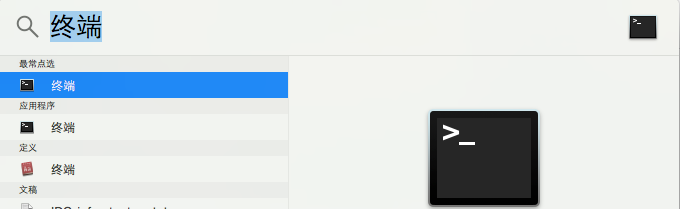
然后在终端执行 discoveryutil 命令:
清理 MDNS (Multicast DNS) Cache
sudo discoveryutil mdnsflushcache
回车,需要输入管理员密码
清理 UDNS(Unicast DNS) Cache
sudo discoveryutil udnsflushcaches
回车,需要输入管理员密码
一步清理OS X Yosemite所有DNS缓存
sudo discoveryutil mdnsflushcache;sudo discoveryutil udnsflushcaches;say flushed
执行后没有返回结果输出:
MacBook-Pro:~ sudops.com$ sudo discoveryutil mdnsflushcache;sudo discoveryutil udnsflushcaches;say flushed
Password:
MacBook-Pro:~ sudops.com$
下面是查看现有的cache MDNS/UDNS情况:
sudo discoveryutil mdnscachestats
sudo discoveryutil udnscachestats
我的执行结果如下:
MacBook-Pro:~ sudops.com$ sudo discoveryutil udnscachestats

UDNS Cache Stats: Ext Resolver on en1
UDNS Cache Stats: Resolver domain [default], type Unicast, ifIndex 6, port 0, timeout 30, A yes, AAAA no, serviceID 0, scope None, order 0
  server(s) 8.8.8.8, 8.8.4.4
UDNS Cache Stats: Cached 115 of 5000, table size 256, hash coverage 0.22, max miss depth 8, avg miss depth 0.38, reclaims 0
Cached records after aging 89
UDNS Cache Stats: Ext Resolver on en1
UDNS Cache Stats: Resolver domain [default], type Unicast, ifIndex 6, port 0, timeout 30, A yes, AAAA no, serviceID 0, scope InterfaceID, order 0
  server(s) 8.8.8.8, 8.8.4.4
UDNS Cache Stats: Cached 0 of 5000, table size 256, hash coverage 0.00, max miss depth 0, avg miss depth 0.00, reclaims 0
Cached records after aging 0
看到我的DNS服务器是:8.8.8.8, 8.8.4.4,
UDNS缓存状态:UDNS Cache Stats: Cached 115 of 5000, table size 256, hash coverage 0.22 …
MacBook-Pro:~ sudops.com$ sudo discoveryutil mdnscachestats
MDNS Cache Stats: lo0: Cached 0 of 7500, table size 16, hash coverage 0.00, max miss depth 0, avg miss depth 0.00, reclaims 0
Cached records after aging 0
MDNS Cache Stats: vboxnet0: Cached 0 of 7500, table size 256, hash coverage 0.00, max miss depth 0, avg miss depth 0.00, reclaims 0
Cached records after aging 0
MDNS Cache Stats: awdl0: Cached 0 of 7500, table size 256, hash coverage 0.00, max miss depth 0, avg miss depth 0.00, reclaims 0
Cached records after aging 0
MDNS Cache Stats: en1: Cached 0 of 7500, table size 128, hash coverage 0.00, max miss depth 0, avg miss depth 0.00, reclaims 0
Cached records after aging 0
最后可以使用dig/nslookup命令查询域名的解析情况:
如:
dig google.com
MacBook-Pro:~ sudops.com$ dig google.com

; <<>> DiG 9.8.3-P1 <<>> google.com
;; global options: +cmd
;; Got answer:
;; ->>HEADER<<- opcode: QUERY, status: NOERROR, id: 46653
;; flags: qr rd ra; QUERY: 1, ANSWER: 6, AUTHORITY: 4, ADDITIONAL: 4

;; QUESTION SECTION:
;google.com.			IN	A

;; ANSWER SECTION:
google.com.		74	IN	A	74.125.23.100
google.com.		74	IN	A	74.125.23.101
google.com.		74	IN	A	74.125.23.102
google.com.		74	IN	A	74.125.23.113
google.com.		74	IN	A	74.125.23.138
google.com.		74	IN	A	74.125.23.139
...